


Do you ever wonder why your competitor always seems to have more customers than you? Or maybe you’re thinking about starting Google Ads to promote your business, but don’t know where to begin.
Maybe your competitor are running a special offer you don’t know about. Or maybe they are running ads on Google that steal your potential clients right when they are searching.
The good news is that you don’t have to guess anymore.
Google actually has a free, public tool that lets you see exactly what ads your competitors are running. It is completely legal, and it is a goldmine for your business.
Here is how you can check your competitor’s ads in less than 5 minutes.
Step 1: Visit the Google Ads Transparency Center
Google provides a free tool called the Ads Transparency Center. This tool was built to help people see who is paying for ads, but smart business owners use it to see what their competitor are doing.
Go to this link: https://adstransparency.google.com/
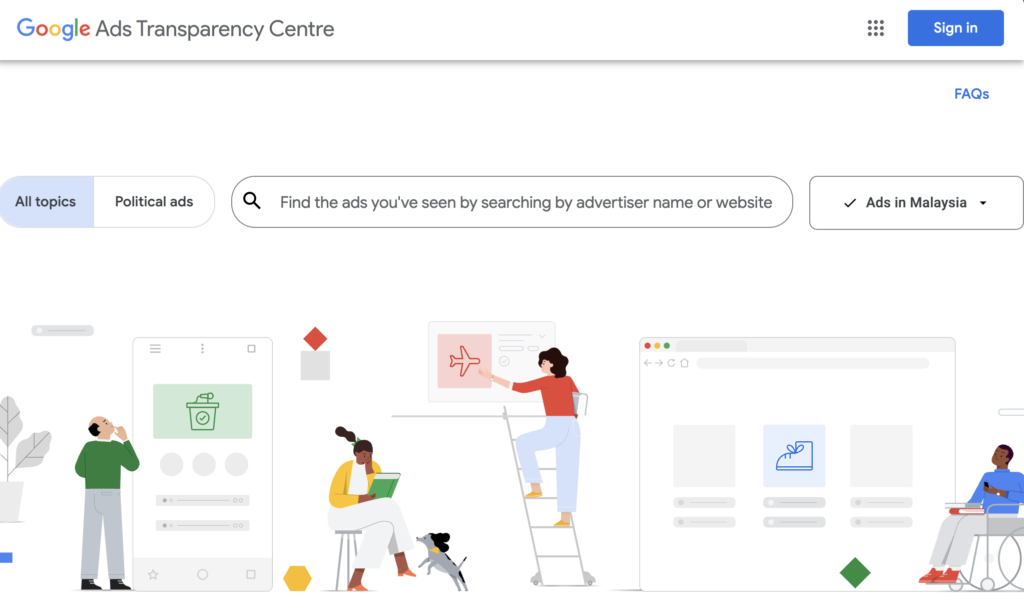
Step 2: Search for Your Competitor
Once you are on the page, you will see a search bar.
- Type in your competitor’s brand name or their website URL. For example, try to search “Google LLC”.
- Select their company name from the list that pops up.
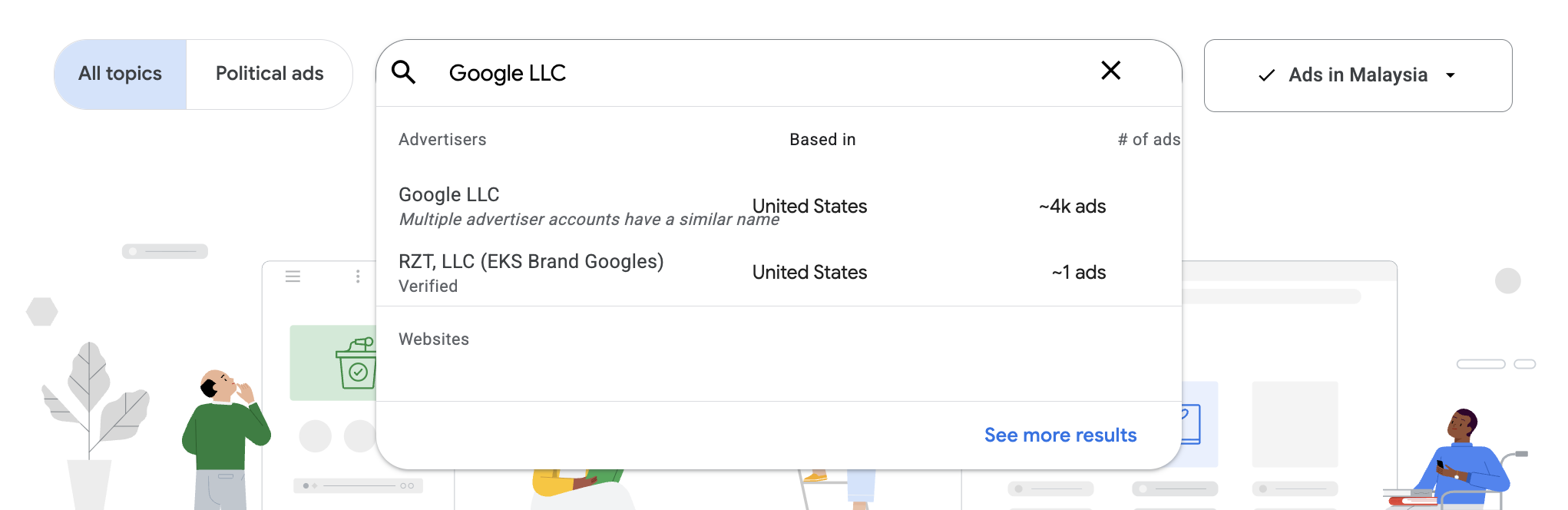
- Afer we search, we can get the setting to “Any time” and “Shown in [Your Country]” to get the most relevant results.
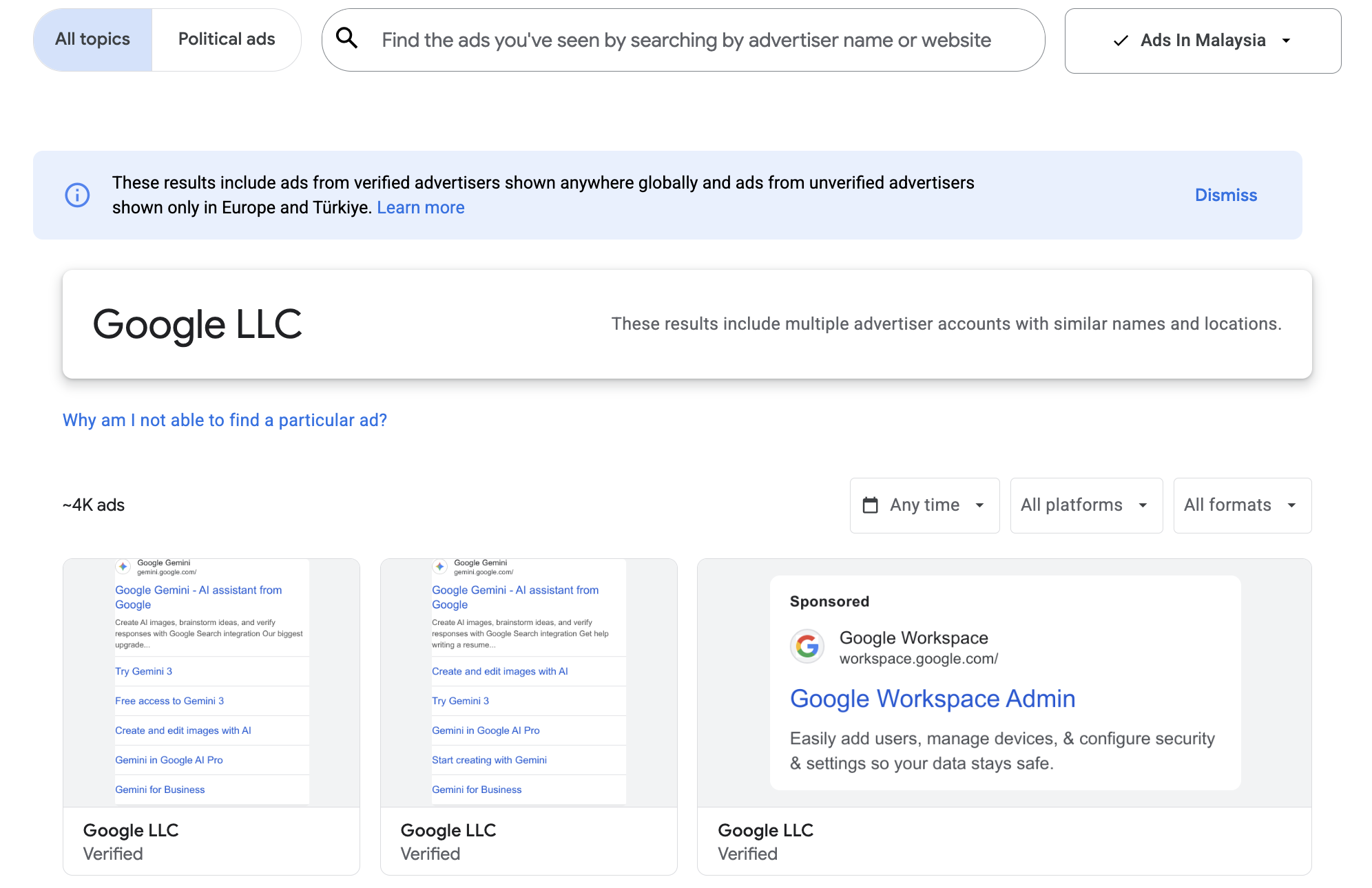
If they are running ads, you will see them immediately. If nothing shows up, it means they aren’t advertising right now, which is a great opportunity for you to step in.
Step 3: Analyze Their Headlines and Images
Now that you can see their ads, look closely at what they are saying.
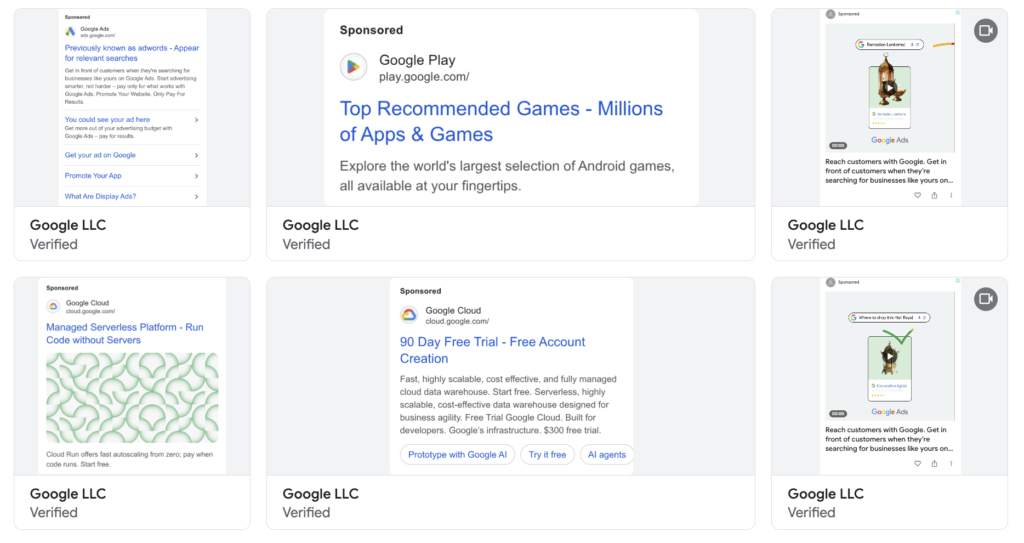
Ask yourself these questions:
- What is their main offer? Are they offering a discount, a free consultation, or “fast delivery”?
- What keywords are they using? Look at the bold text in their headlines.
- What photos do they use? Are they using real team photos or stock images?
This tells you what they think is important to your customers.
Step 4: Check Where the Ads Lead
Here is the tricky part: You cannot click on the ads inside the Transparency Center. Google disables the links to protect the advertisers.
But you can still find their landing page with a little detective work:
- Look at the “Display URL”: In the ad preview, look for the website address shown (usually near the top or bottom of the ad).
- Type it into your browser: Open a new tab and type that address manually.
- Search the Headline: If the link is just their homepage, copy the main headline of the ad (e.g., “50% Off First Renovation”) and search it on Google. You will likely find the specific page they are using.
Once you find the page, ask yourself:
- Is it a simple contact form?
- Is it a long page with lots of text?
- Is it easy to navigate on mobile?
If their page is confusing or slow, you can beat them just by having a better and faster website.
Final Thoughts
Checking your competitor’s ads isn’t about copying them. It is about understanding the market.
If you see they are pushing “Cheap Prices,” maybe you should push “High Quality.” If they are ignoring a specific service you offer, that is your chance to advertise it and win those customers.
Knowledge is power. Now go use it.
Need Help Beating Your Competitors?
Knowing what your competitors are doing is great, but you still need a professional website to convert those leads.
At OneStopMaker, we build high-quality, SEO-optimized websites that help you stand out from the crowd. We handle the design, the tech, and the maintenance so you can focus on your business.
Ready to grow your business online?
Contact us today at [email protected] or visit OneStopMaker.com to get started.